X 归档 2022-03-18

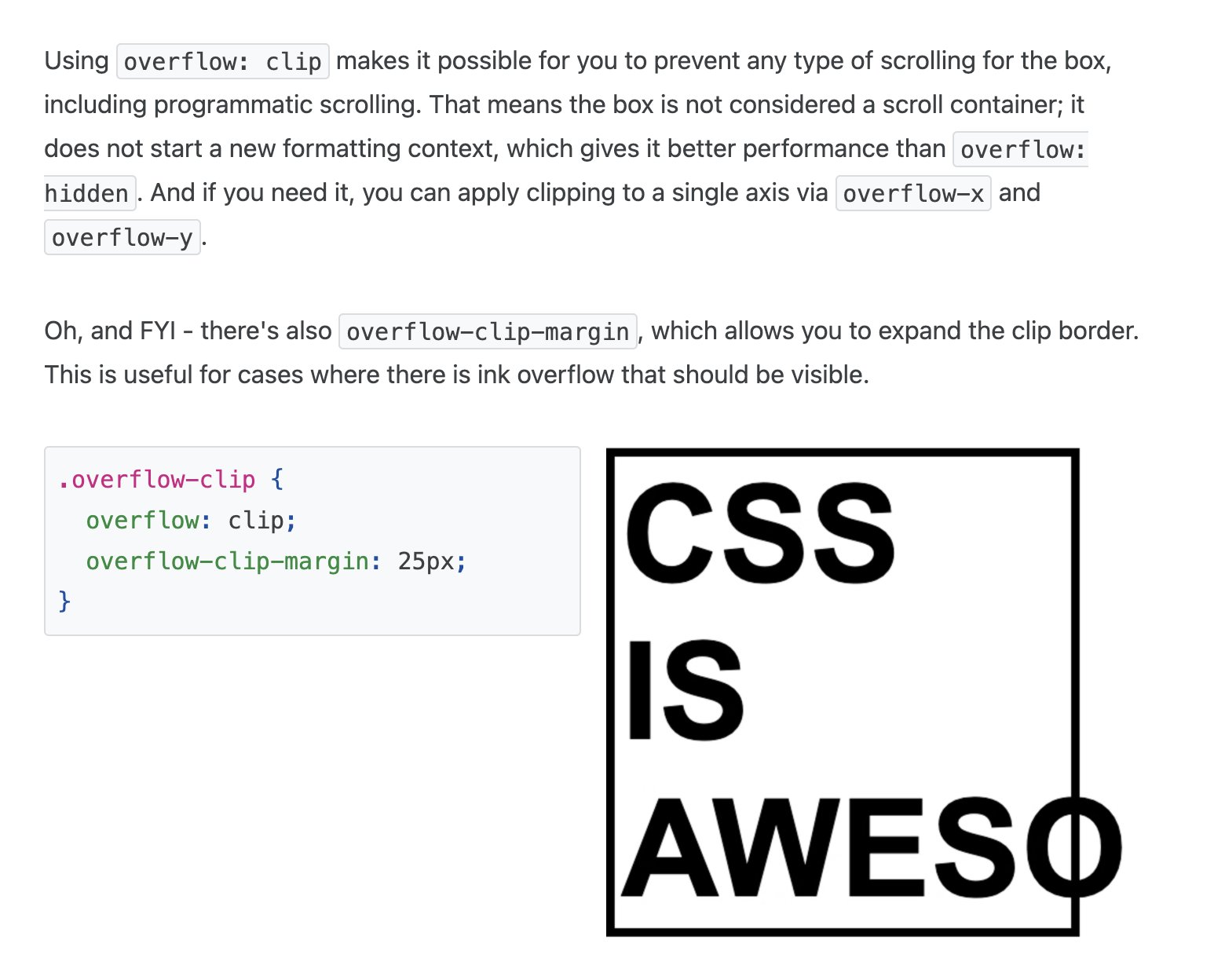
Note that overflow: clip is not a one size fits all drop in replacement for overflow: hidden (don't project-wide find and replace just yet!), but something to look into for many common use cases
Browser support: https://caniuse.com/?search=overflow%3A%20clip
Learn more: https://developer.chrome.com/blog/new-in-chrome-90/#overflow-clip
Browser support: https://caniuse.com/?search=overflow%3A%20clip
Learn more: https://developer.chrome.com/blog/new-in-chrome-90/#overflow-clip
注意,overflow: clip 并不是 overflow: hidden 的万能直接替代(先别急着全项目查找替换!),但对许多常见用例来说值得研究
浏览器支持:https://caniuse.com/?search=overflow%3A%20clip
了解更多:https://developer.chrome.com/blog/new-in-chrome-90/#overflow-clip
浏览器支持:https://caniuse.com/?search=overflow%3A%20clip
了解更多:https://developer.chrome.com/blog/new-in-chrome-90/#overflow-clip

it’s finally live! this touch typography tool by @schultzschultz_ is magical
https://schultzschultz.com/touchtype
https://schultzschultz.com/touchtype

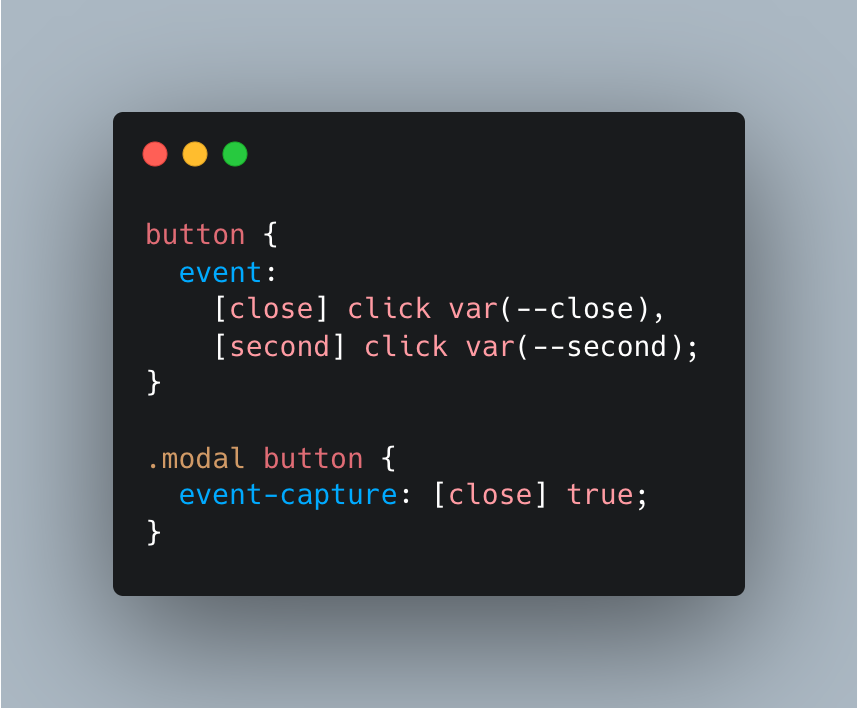
A future version of Corset will support setting multiple event listeners of the same type on an element. I don't think you can do this in mainstream frameworks.
The proposed syntax looks like this. This borrows from CSS grid, where you can name lines.
The proposed syntax looks like this. This borrows from CSS grid, where you can name lines.
Corset 的未来版本将支持在同一个元素上设置多个同类型的事件监听器。我觉得主流框架都做不到这一点。
提议的语法如下。这借鉴了 CSS grid 中给网格线命名的做法。
提议的语法如下。这借鉴了 CSS grid 中给网格线命名的做法。

CSS Tip 💡
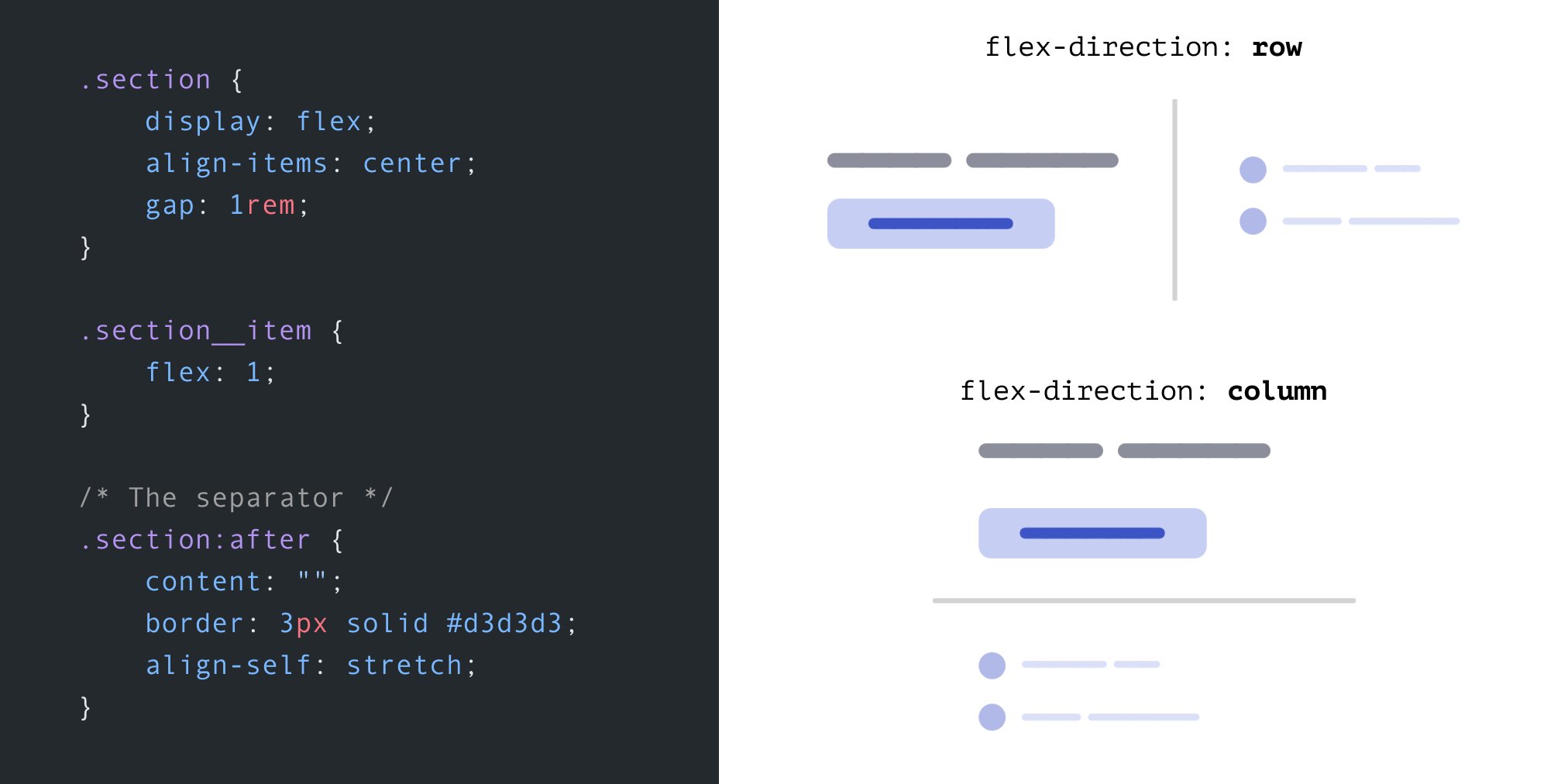
Use a dynamic line separator that changes from horizontal to vertical depending on flex-direction. No need for width or height. Just a stretched CSS border!
Details: https://ishadeed.com/article/flexbox-separator/
Use a dynamic line separator that changes from horizontal to vertical depending on flex-direction. No need for width or height. Just a stretched CSS border!
Details: https://ishadeed.com/article/flexbox-separator/
CSS 小技巧 💡
使用一条动态分隔线,根据 flex-direction 在水平与垂直之间切换。不需要设置宽高,只要一条被拉伸的 CSS border 就行!
详情:
使用一条动态分隔线,根据 flex-direction 在水平与垂直之间切换。不需要设置宽高,只要一条被拉伸的 CSS border 就行!
详情: