
X 归档 2024-10-11

Just did a fresh macOS install — writing down what I set up:
• Superhuman: fast email client
• Ghostty: super fast terminal
• Neovim: default editor
• Raycast: better spotlight
• CleanShot X: better screenshot tool
• Notion: work notes + calendar
• Chrome: default browser…
• Superhuman: fast email client
• Ghostty: super fast terminal
• Neovim: default editor
• Raycast: better spotlight
• CleanShot X: better screenshot tool
• Notion: work notes + calendar
• Chrome: default browser…
刚做完一次全新的 macOS 安装——记一下我都装了什么:
• Superhuman:飞快的邮件客户端
• Ghostty:超快的终端
• Neovim:默认编辑器
• Raycast:更好的 Spotlight
• CleanShot X:更好的截图工具
• Notion:工作笔记 + 日历
• Chrome:默认浏览器……
• Superhuman:飞快的邮件客户端
• Ghostty:超快的终端
• Neovim:默认编辑器
• Raycast:更好的 Spotlight
• CleanShot X:更好的截图工具
• Notion:工作笔记 + 日历
• Chrome:默认浏览器……

Finally, we have published Horizon OS UI Set for ISDK-Unity and Figma with the Interaction SDK v69 release on 10/9! This is our first public release of official UI components and design resources based on the Quest Design System.
UI Set for Meta XR Interaction SDK:…
UI Set for Meta XR Interaction SDK:…
终于,随着 10 月 9 日 Interaction SDK v69 的发布,我们推出了面向 ISDK-Unity 和 Figma 的 Horizon OS UI Set!这是我们基于 Quest 设计系统的官方 UI 组件与设计资源的首次公开发布。
Meta XR Interaction SDK 的 UI Set:……
Meta XR Interaction SDK 的 UI Set:……

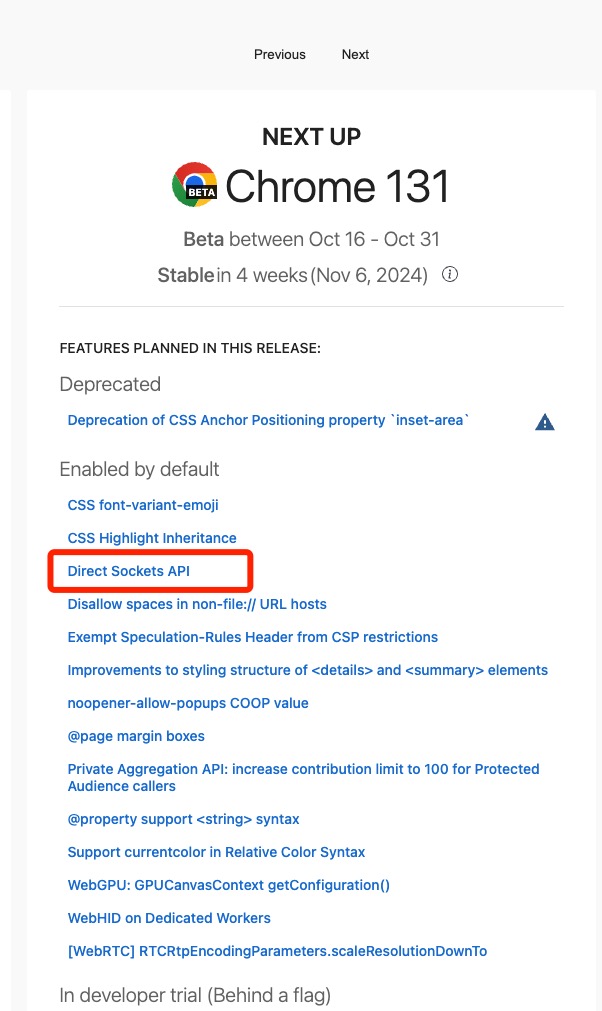
有生之年终于见证浏览器支持裸的socket了,支持裸的 tcp 和 udp,搞技术的都知道这里面的门道有多深。
有生之年终于见证浏览器支持裸的socket了,支持裸的 tcp 和 udp,搞技术的都知道这里面的门道有多深。
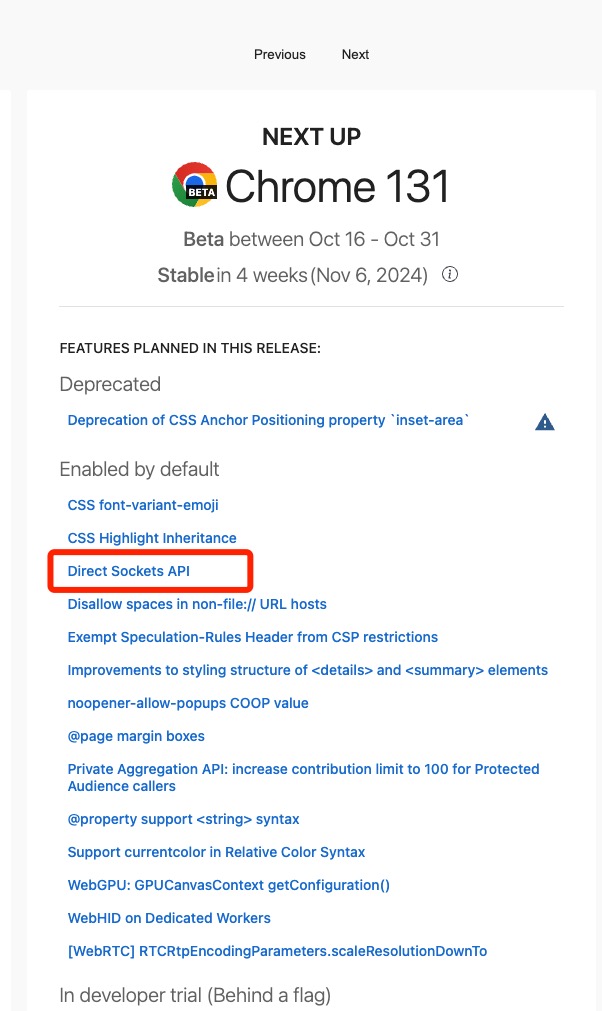

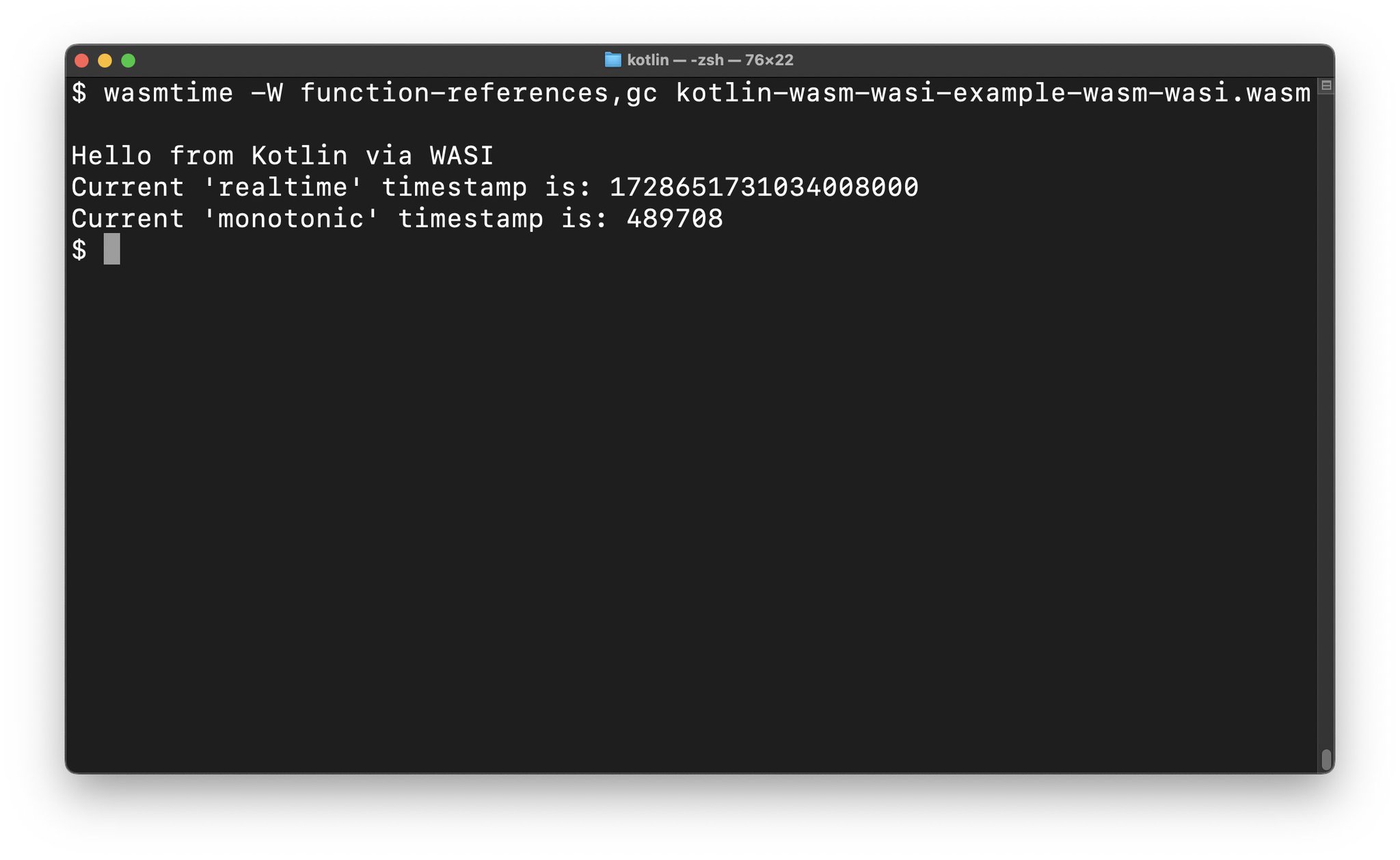
Kotlin/Wasm app inside @wasmtime 🚀
#Wasm #WebAssembly
#Wasm #WebAssembly
跑在 @wasmtime 里的 Kotlin/Wasm 应用 🚀
#Wasm #WebAssembly
#Wasm #WebAssembly
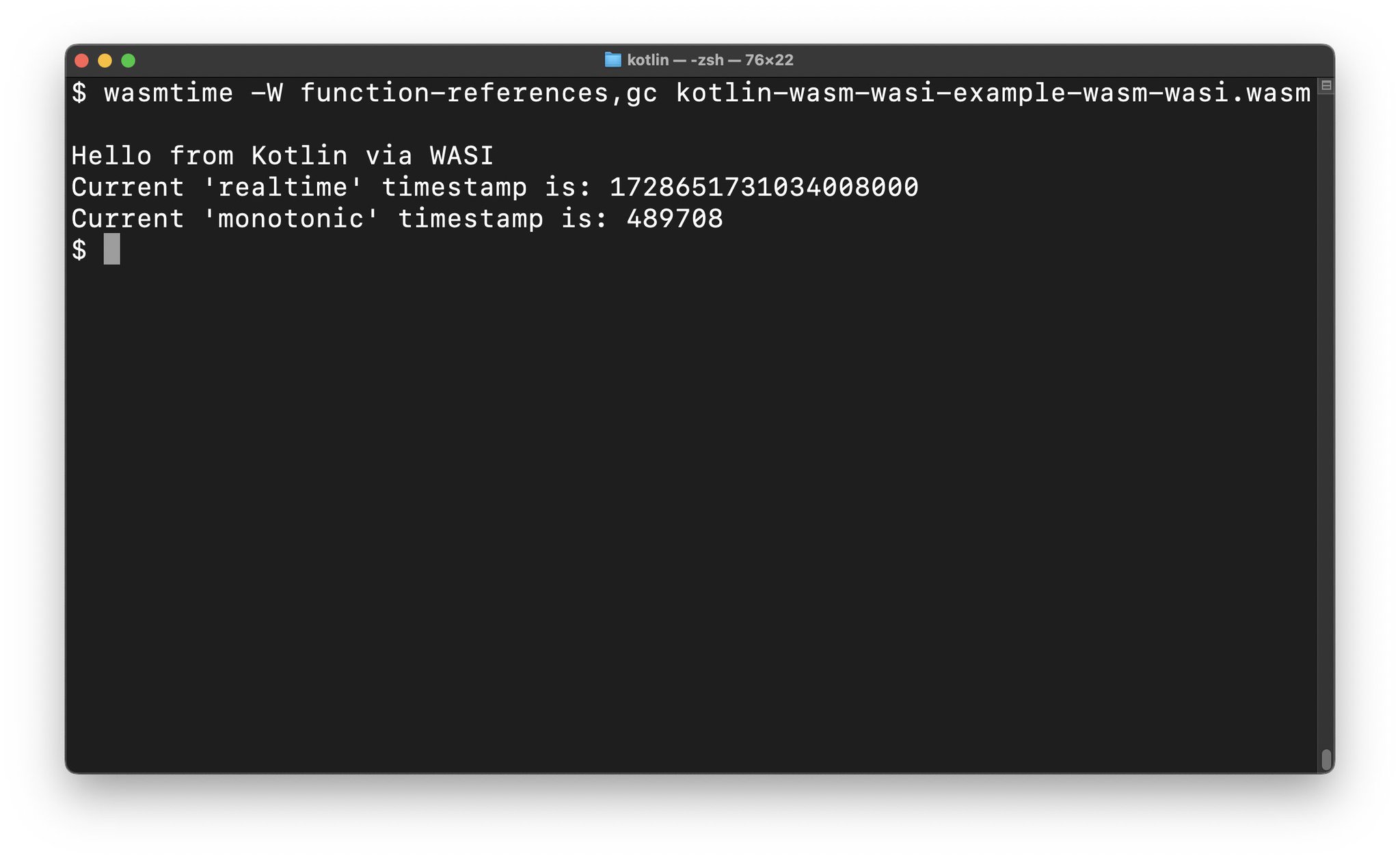
有生之年终于见证浏览器支持裸的socket了,支持裸的 tcp 和 udp,搞技术的都知道这里面的门道有多深。
有生之年终于见证浏览器支持裸的socket了,支持裸的 tcp 和 udp,搞技术的都知道这里面的门道有多深。
Just did a fresh macOS install — writing down what I set up:
• Superhuman: fast email client
• Ghostty: super fast terminal
• Neovim: default editor
• Raycast: better spotlight
• CleanShot X: better screenshot tool
• Notion: work notes + calendar
• Chrome: default browser
• Superhuman: fast email client
• Ghostty: super fast terminal
• Neovim: default editor
• Raycast: better spotlight
• CleanShot X: better screenshot tool
• Notion: work notes + calendar
• Chrome: default browser
刚做完一次全新的 macOS 安装——记一下我都装了什么:
• Superhuman:飞快的邮件客户端
• Ghostty:超快的终端
• Neovim:默认编辑器
• Raycast:更好的 Spotlight
• CleanShot X:更好的截图工具
• Notion:工作笔记 + 日历
• Chrome:默认浏览器
• Superhuman:飞快的邮件客户端
• Ghostty:超快的终端
• Neovim:默认编辑器
• Raycast:更好的 Spotlight
• CleanShot X:更好的截图工具
• Notion:工作笔记 + 日历
• Chrome:默认浏览器