X 归档 2026-02-14

Working with <dialog> elements? 🤔
Don't use .close(), it ends the dialog immediately.
Use HTMLDialogElement.requestClose(), it fires a close event first, giving your app a chance to intercept it, useful for confirmation or animations.
Try now 👇
https://developer.mozilla.org/en-US/docs/Web/API/HTMLDialogElement/requestClose
Don't use .close(), it ends the dialog immediately.
Use HTMLDialogElement.requestClose(), it fires a close event first, giving your app a chance to intercept it, useful for confirmation or animations.
Try now 👇
https://developer.mozilla.org/en-US/docs/Web/API/HTMLDialogElement/requestClose
在用 <dialog> 元素吗?🤔
别用 .close(),它会立即关闭对话框。
改用 HTMLDialogElement.requestClose(),它会先触发一个 close 事件,给你的应用一个拦截的机会,适合做确认弹窗或动画。
马上试试 👇
https://developer.mozilla.org/en-US/docs/Web/API/HTMLDialogElement/requestClose
别用 .close(),它会立即关闭对话框。
改用 HTMLDialogElement.requestClose(),它会先触发一个 close 事件,给你的应用一个拦截的机会,适合做确认弹窗或动画。
马上试试 👇
https://developer.mozilla.org/en-US/docs/Web/API/HTMLDialogElement/requestClose

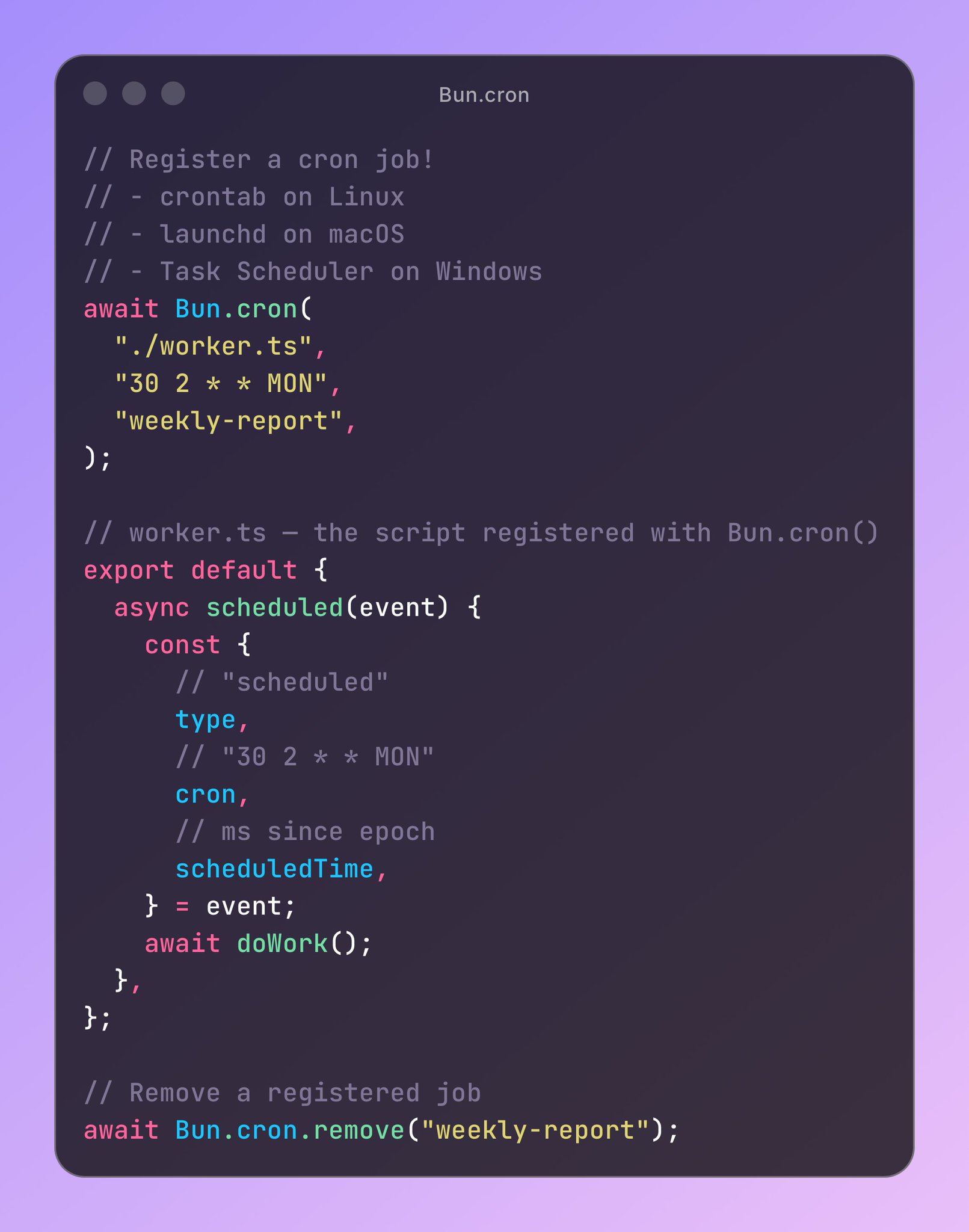
In the next version of Bun
`Bun.cron(file, schedule, name)` schedules a function to be called on a recurring interval
`Bun.cron(file, schedule, name)` schedules a function to be called on a recurring interval
在下一个版本的 Bun 中
`Bun.cron(file, schedule, name)` 可以按周期性的时间表调度一个函数调用
`Bun.cron(file, schedule, name)` 可以按周期性的时间表调度一个函数调用