X 归档 2026-10-23

Optimized
https://
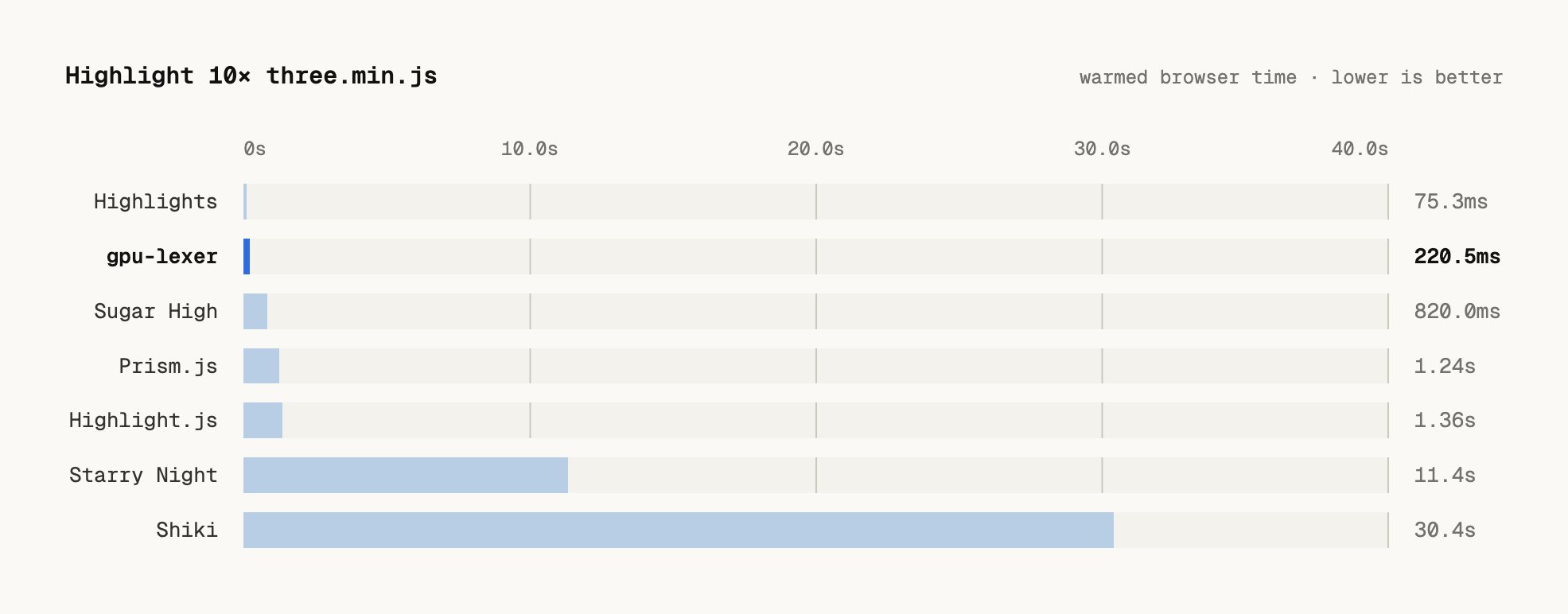
gpu-lexer.vercel.app to be 3.8x faster: 850ms → 221ms. It's still far behind
@pierrecomputer
's
https://
diffs.com/highlights (incredible work!)
Also wrote down some thoughts on
https://
shud.in/thoughts/ideas
-behind-gpu-lexer
…
https://
gpu-lexer.vercel.app to be 3.8x faster: 850ms → 221ms. It's still far behind
@pierrecomputer
's
https://
diffs.com/highlights (incredible work!)
Also wrote down some thoughts on
https://
shud.in/thoughts/ideas
-behind-gpu-lexer
…
优化了
https://
gpu-lexer.vercel.app,使其速度提升 3.8 倍:850ms → 221ms。它仍然远远落后于
@pierrecomputer
's
https://
diffs.com/highlights(令人难以置信的工作!)
另外还写下了一些关于
https://
shud.in/thoughts/ideas
-behind-gpu-lexer
… 的想法
https://
gpu-lexer.vercel.app,使其速度提升 3.8 倍:850ms → 221ms。它仍然远远落后于
@pierrecomputer
's
https://
diffs.com/highlights(令人难以置信的工作!)
另外还写下了一些关于
https://
shud.in/thoughts/ideas
-behind-gpu-lexer
… 的想法

Today, we’re introducing Ideogram's first vector model.
Generate clean, editable SVGs with smooth gradients and sharp typography from a text prompt, or turn any image into a detailed, scalable vector.
Live in Ideogram and the API: https://ideogram.ai/models/vector
Generate clean, editable SVGs with smooth gradients and sharp typography from a text prompt, or turn any image into a detailed, scalable vector.
Live in Ideogram and the API: https://ideogram.ai/models/vector
今天,我们推出 Ideogram 的首个矢量模型。
通过文本提示生成干净、可编辑的 SVG,带有平滑渐变和清晰字体,或将任何图像转换为详细、可缩放的矢量图。
现已在 Ideogram 和 API 中上线:
https://
ideogram.ai/models/vector
通过文本提示生成干净、可编辑的 SVG,带有平滑渐变和清晰字体,或将任何图像转换为详细、可缩放的矢量图。
现已在 Ideogram 和 API 中上线:
https://
ideogram.ai/models/vector

Hugging Face 刚刚支持 OpenUSD ,NVIDIA 反手就甩出 2500+ 个 SimReady 3D 资产:叉车、机械臂、发动机、医疗设备……全部免费放在 Hub 上,还能直接用大白话搜!
以前搭一个仿真场景要建模好几周,现在点几下就能拿到。
具身智能的门槛也在松动。机器人时代不远了。🤖🔥
以前搭一个仿真场景要建模好几周,现在点几下就能拿到。
具身智能的门槛也在松动。机器人时代不远了。🤖🔥
We just launched OpenUSD support on the @huggingface Hub 🎉
Yesterday, @nvidiaomniverse put 2,500+ SimReady assets on the Hub. Forklifts, robot arms, engines, hospital equipment, all OpenUSD. You can also search the whole library in plain English
https://huggingface.co/spaces/nvidia/simready-central
Yesterday, @nvidiaomniverse put 2,500+ SimReady assets on the Hub. Forklifts, robot arms, engines, hospital equipment, all OpenUSD. You can also search the whole library in plain English
https://huggingface.co/spaces/nvidia/simready-central
我们刚在 @huggingface Hub 上线了 OpenUSD 支持 🎉
昨天,@nvidiaomniverse 在 Hub 上放了 2500+ 个 SimReady 资产。叉车、机械臂、引擎、医院设备,全是 OpenUSD。你也可以用大白话搜索整个库
https://huggingface.co/spaces/nvidia/simready-central
昨天,@nvidiaomniverse 在 Hub 上放了 2500+ 个 SimReady 资产。叉车、机械臂、引擎、医院设备,全是 OpenUSD。你也可以用大白话搜索整个库
https://huggingface.co/spaces/nvidia/simready-central

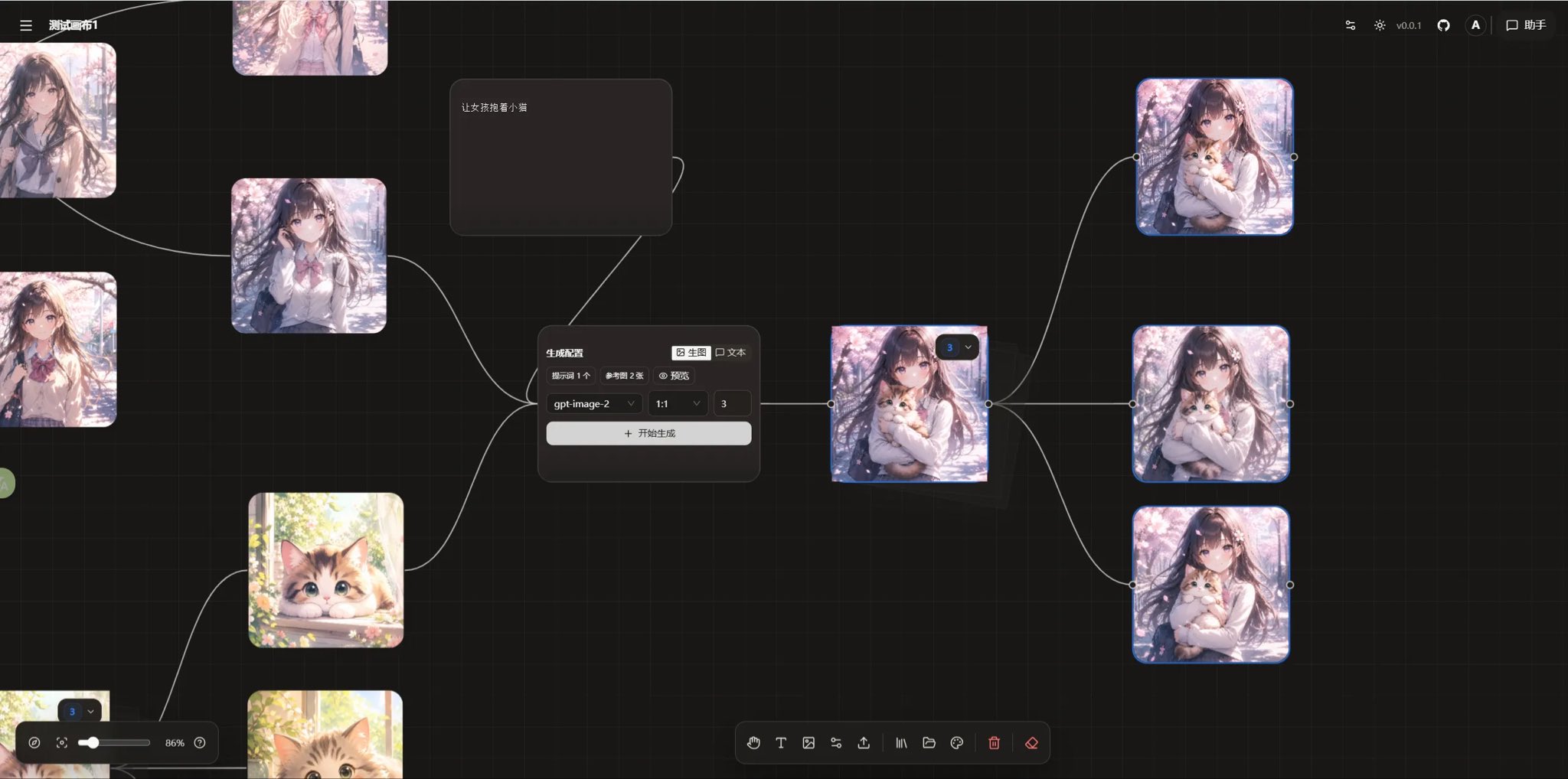
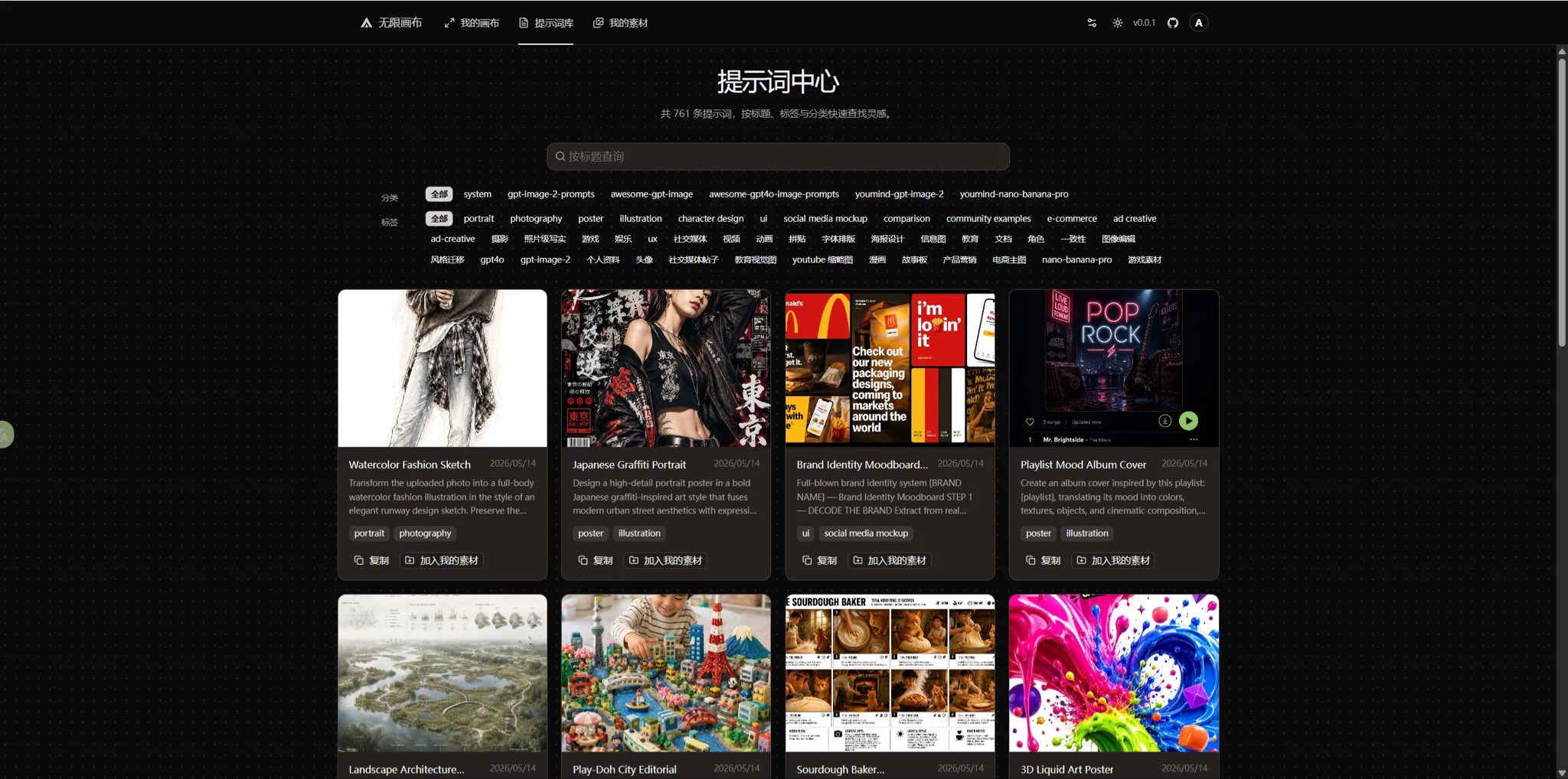
赚了 60w 的浙江工业大学大二学生执行力真的强
不过他部署的那套画布系统应该就是这个了。
项目给到大家了,能不能赚钱,大家加油!
https://github.com/basketikun/infinite-canvas
不过他部署的那套画布系统应该就是这个了。
项目给到大家了,能不能赚钱,大家加油!
https://github.com/basketikun/infinite-canvas

Let me put my TypeScript hat back on for a minute
Content mappers look outrageously exciting. This is now possible:
1. import any non-TypeScript file (markdown, vue, svelte)
2. Write a content mapper to extract types from it
3. Run tsc with --runExternalCode
4. You get type inference from NON TYPESCRIPT CODE
The simplest case:
1. Import a markdown file
2. Add a bit of config to tsconfig.json
3. Run tsc with --runExternalCode
4. Get fully typed markdown frontmatter
Unbelievably useful, a dreamland for tinkerers
让我暂时重新戴上我的 TypeScript 帽子
内容映射器看起来异常令人兴奋。现在这变得可能了:
1. 导入任何非 TypeScript 文件(markdown、vue、svelte)
2. 编写一个内容映射器来从中提取类型
3. 使用 --runExternalCode 运行 tsc
4. 你就能从非 TypeScript 代码中获得类型推断
最简单的情况:
1. 导入一个 markdown 文件
2. 在 tsconfig.json 中添加一点配置
3. 使用 --runExternalCode 运行 tsc
4. 获得完全类型化的 markdown frontmatter
难以置信的实用,对捣鼓者来说简直是梦想中的乐园
内容映射器看起来异常令人兴奋。现在这变得可能了:
1. 导入任何非 TypeScript 文件(markdown、vue、svelte)
2. 编写一个内容映射器来从中提取类型
3. 使用 --runExternalCode 运行 tsc
4. 你就能从非 TypeScript 代码中获得类型推断
最简单的情况:
1. 导入一个 markdown 文件
2. 在 tsconfig.json 中添加一点配置
3. 使用 --runExternalCode 运行 tsc
4. 获得完全类型化的 markdown frontmatter
难以置信的实用,对捣鼓者来说简直是梦想中的乐园
TypeScript 7.1 Beta is now available! Now with a preview API, content mapper support, new features, and some great optimizations. Give it a try and give us some feedback! https://devblogs.microsoft.com/typescript/announcing-typescript-7-1-beta/
TypeScript 7.1 Beta 来了!带预览 API、内容映射支持、新特性以及一些很棒的优化。试用并反馈!https://devblogs.microsoft.com/typescript/announcing-typescript-7-1-beta/


4 天破千星:App Store 加密 IPA 离线解密工具
fairplay-decrypt:FairPlay 加密 IPA 离线解密——用拥有该 IPA 的账号 16 字节凭证解密。macOS/Linux 可跑。4 天 1036 星。
做 iOS 逆向的:离线解密变简单,是便利还是麻烦?
#iOS #逆向 #开源
https://github.com/EthanArbuckle/fairplay-decrypt
fairplay-decrypt:FairPlay 加密 IPA 离线解密——用拥有该 IPA 的账号 16 字节凭证解密。macOS/Linux 可跑。4 天 1036 星。
做 iOS 逆向的:离线解密变简单,是便利还是麻烦?
#iOS #逆向 #开源
https://github.com/EthanArbuckle/fairplay-decrypt

We spun up 100 https://instabox.sh VMs and started Claude Code in all of them (with their desktops recorded)
400 vCPU, 800 GB RAM in total
All ready in 10s, and only $0.01 cost
400 vCPU, 800 GB RAM in total
All ready in 10s, and only $0.01 cost
我们起了 100 台 https://instabox.sh 虚拟机,在每一台里都跑上 Claude Code(桌面全程录屏)
总共 400 vCPU、800 GB 内存
10 秒全部就绪,成本只要 $0.01
总共 400 vCPU、800 GB 内存
10 秒全部就绪,成本只要 $0.01