---
title: "X 归档 2024-06-30"
date: "2024-06-30"
tags:
  - x-archive
  - apple
---

<div class="x-arch-meta">1 条动态 · 图 1 · 视频 0</div>
<div class="x-arch-day">
  <div class="x-arch-item">
    <input type="radio" name="xl-1807421754740269400" id="xl-1807421754740269400-zh" class="x-arch-lang-input x-arch-lang-input-zh" checked aria-label="显示译文" /><input type="radio" name="xl-1807421754740269400" id="xl-1807421754740269400-orig" class="x-arch-lang-input x-arch-lang-input-orig" aria-label="显示原文" /><div class="x-arch-head"><img class="x-arch-avatar" src="https://twimg.tweb.xin/twimg/profile_images/1952076291651330048/2T_OYFdv_bigger.png" alt="" loading="lazy" referrerpolicy="no-referrer" /><span class="x-arch-kind x-arch-kind-posted" aria-label="发" title="发"><svg viewBox="0 0 24 24" fill="none" stroke="currentColor" stroke-width="2.5" stroke-linecap="round" stroke-linejoin="round" aria-hidden="true"><path d="M21.174 6.812a1 1 0 0 0-3.986-3.987L3.842 16.174a2 2 0 0 0-.5.83l-1.321 4.352a.5.5 0 0 0 .623.622l4.353-1.32a2 2 0 0 0 .83-.497z" /><path d="m15 5 4 4" /></svg></span><a class="x-arch-author" href="https://x.com/skiptools" target="_blank" rel="nofollow noopener" data-name="Skip.dev" data-avatar="https://twimg.tweb.xin/twimg/profile_images/1952076291651330048/2T_OYFdv_bigger.png">@skiptools</a><span class="x-arch-time">22:31</span><span class="x-arch-lang-switch" role="group" aria-label="切换原文/译文"><label for="xl-1807421754740269400-zh" class="x-arch-lang-opt x-arch-lang-zh">译</label><label for="xl-1807421754740269400-orig" class="x-arch-lang-opt x-arch-lang-orig">原</label></span><a class="x-arch-link" href="https://x.com/skiptools/status/1807421754740269400" target="_blank" rel="noopener">原推文<svg class="x-arch-ext" viewBox="0 0 24 24" fill="none" stroke="currentColor" stroke-width="2.5" stroke-linecap="round" stroke-linejoin="round" aria-hidden="true"><path d="M7 7h10v10" /><path d="M7 17 17 7" /></svg></a></div>
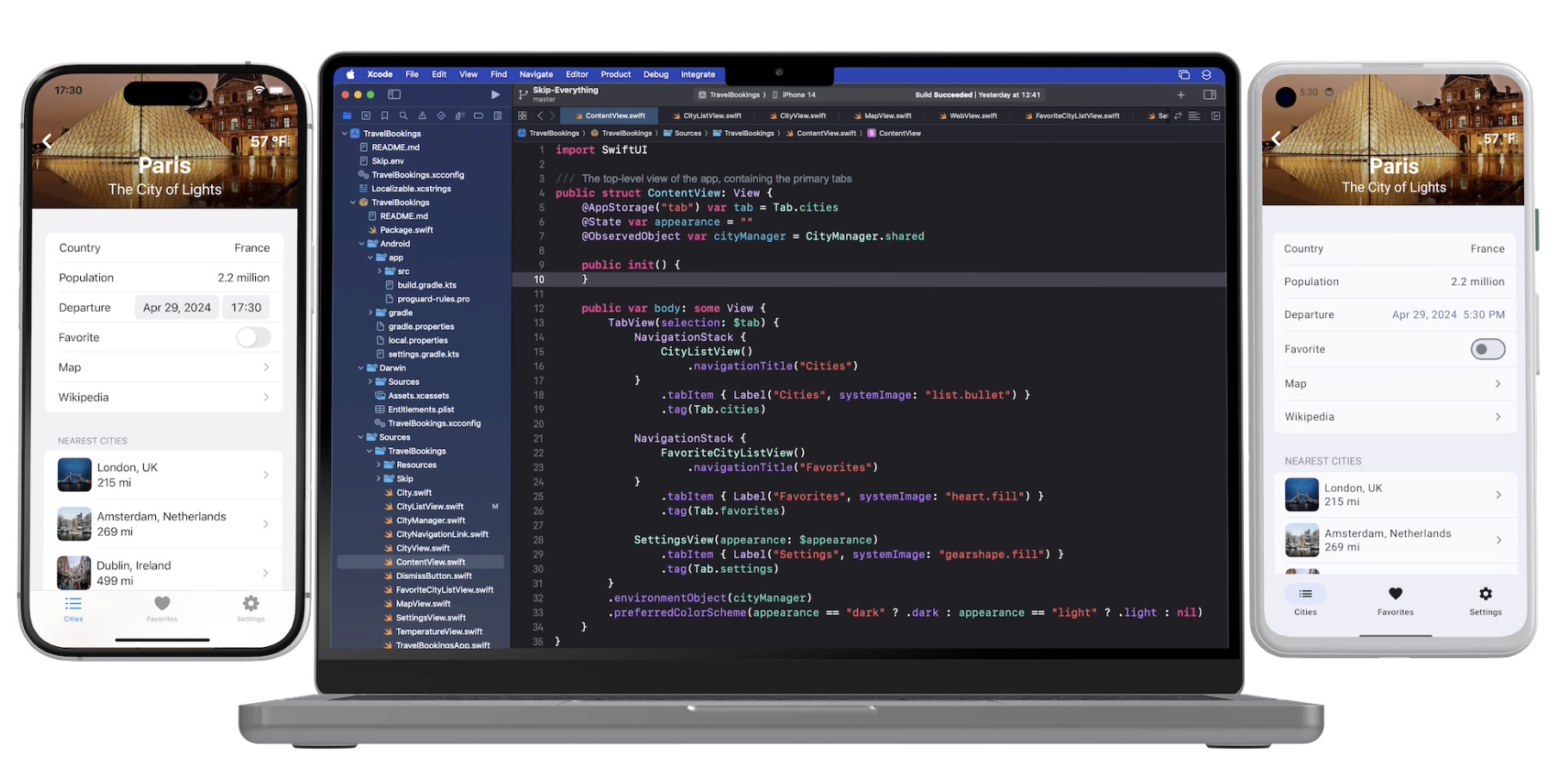
    <div class="x-arch-text x-arch-orig">Skip transpiles Swift to #Kotlin and #SwiftUI to #JetpackCompose. But SwiftUI doesn’t cover it all, so we do a tiny bit of UIKit too, including haptics, pasteboard, and now UIApplication.applicationState for app background/active state!<br /><br />UI support doc:<br /><a href="https://skip.tools/docs/modules/skip-ui/#supported-swiftui" target="_blank" rel="noopener">https://skip.tools/docs/modules/skip-ui/#supported-swiftui</a></div>
    <div class="x-arch-text x-arch-trans">Skip 把 Swift 转译成 #Kotlin，把 #SwiftUI 转译成 #JetpackCompose。但 SwiftUI 并不能覆盖所有场景，所以我们也稍微做了一点点 UIKit，包括触感反馈、剪贴板，以及现在新增的 UIApplication.applicationState 用于应用后台/活跃状态！<br /><br />UI 支持文档：<br /><a href="https://skip.tools/docs/modules/skip-ui/#supported-swiftui" target="_blank" rel="noopener">https://skip.tools/docs/modules/skip-ui/#supported-swiftui</a></div>
    <div class="x-arch-media">
      <a href="/cdn-media/x/2024-06/1807421754740269400-1.jpg" target="_blank" rel="noopener"><img class="x-arch-img" src="/cdn-media/x/2024-06/1807421754740269400-1.jpg" alt="@skiptools 的配图 1/1" loading="lazy" decoding="async" width="1820" height="896" /></a>
    </div>
  </div>
</div>