
X 归档 2023-01-10


🤩 Chrome Canary 111.0.5530.0 introduces support for complex `:nth-child` selections in CSS!
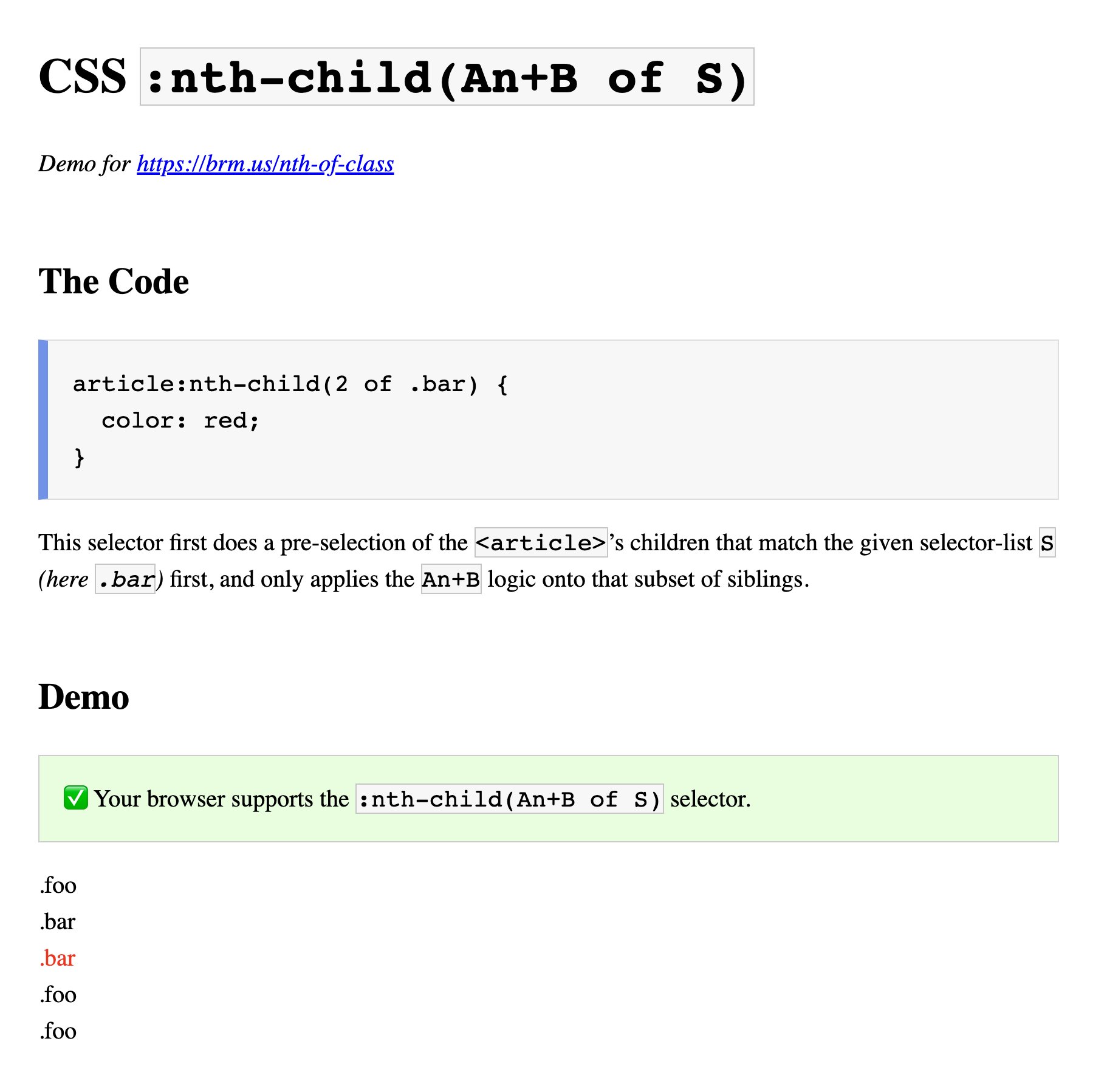
By passing a selector-list into `:nth-child` you can select the nth child that matches that selector.
Eg. you can select “the 2nd item with the class .bar” using `:nth-child(2 of .bar)`
By passing a selector-list into `:nth-child` you can select the nth child that matches that selector.
Eg. you can select “the 2nd item with the class .bar” using `:nth-child(2 of .bar)`
🤩 Chrome Canary 111.0.5530.0 引入了对 CSS 中复杂 `:nth-child` 选择的支持!
通过向 `:nth-child` 传入一个选择器列表,你可以选中匹配该选择器的第 n 个子元素。
例如,可以用 `:nth-child(2 of .bar)` 选中“带 .bar 类的第 2 个元素”
通过向 `:nth-child` 传入一个选择器列表,你可以选中匹配该选择器的第 n 个子元素。
例如,可以用 `:nth-child(2 of .bar)` 选中“带 .bar 类的第 2 个元素”

✨ Tailwind CSS Tip ✨
You can use peer/{name} to create a beautiful "Pill Menu Animation" like this.
× No javascript
× No custom styles
Comment 👋 and I'll share the code.
You can use peer/{name} to create a beautiful "Pill Menu Animation" like this.
× No javascript
× No custom styles
Comment 👋 and I'll share the code.
✨ Tailwind CSS 技巧 ✨
你可以用 peer/{name} 做出像这样漂亮的“胶囊菜单动画”。
× 无需 JavaScript
× 无需自定义样式
评论 👋 一下,我就把代码分享出来。
你可以用 peer/{name} 做出像这样漂亮的“胶囊菜单动画”。
× 无需 JavaScript
× 无需自定义样式
评论 👋 一下,我就把代码分享出来。