X 归档 2025-01-19

this is unbelievable..
Hunyuan AI’s video-to-video model can now replace actors in any film scene, and capture even the subtle expressions..
Hunyuan AI’s video-to-video model can now replace actors in any film scene, and capture even the subtle expressions..
这简直难以置信……
Hunyuan AI 的 video-to-video 模型现在可以替换任何电影场景中的演员,连细微的表情都能捕捉……
Hunyuan AI 的 video-to-video 模型现在可以替换任何电影场景中的演员,连细微的表情都能捕捉……

今年我认为最佳的网页设计:
太漂亮了,完全不像别的一样千篇一律的模版,几个渐变字体加几个淡入淡出的动画。
各种精致的动画(动画居然都是用 DOM…
太漂亮了,完全不像别的一样千篇一律的模版,几个渐变字体加几个淡入淡出的动画。
各种精致的动画(动画居然都是用 DOM…

extra detail: animate a CSS custom property from 0 to 100 on scroll and use that for a counter()
label::after { content: counter(complete) '% complete'; }
translate the label using container query units ✨
translate: 0 calc(var(--p) * 1cqh);
label::after { content: counter(complete) '% complete'; }
translate the label using container query units ✨
translate: 0 calc(var(--p) * 1cqh);
额外细节:滚动时把一个 CSS 自定义属性从 0 动画到 100,再喂给 counter() 使用
label::after { content: counter(complete) '% complete'; }
用容器查询单位平移标签 ✨
translate: 0 calc(var(--p) * 1cqh);
label::after { content: counter(complete) '% complete'; }
用容器查询单位平移标签 ✨
translate: 0 calc(var(--p) * 1cqh);

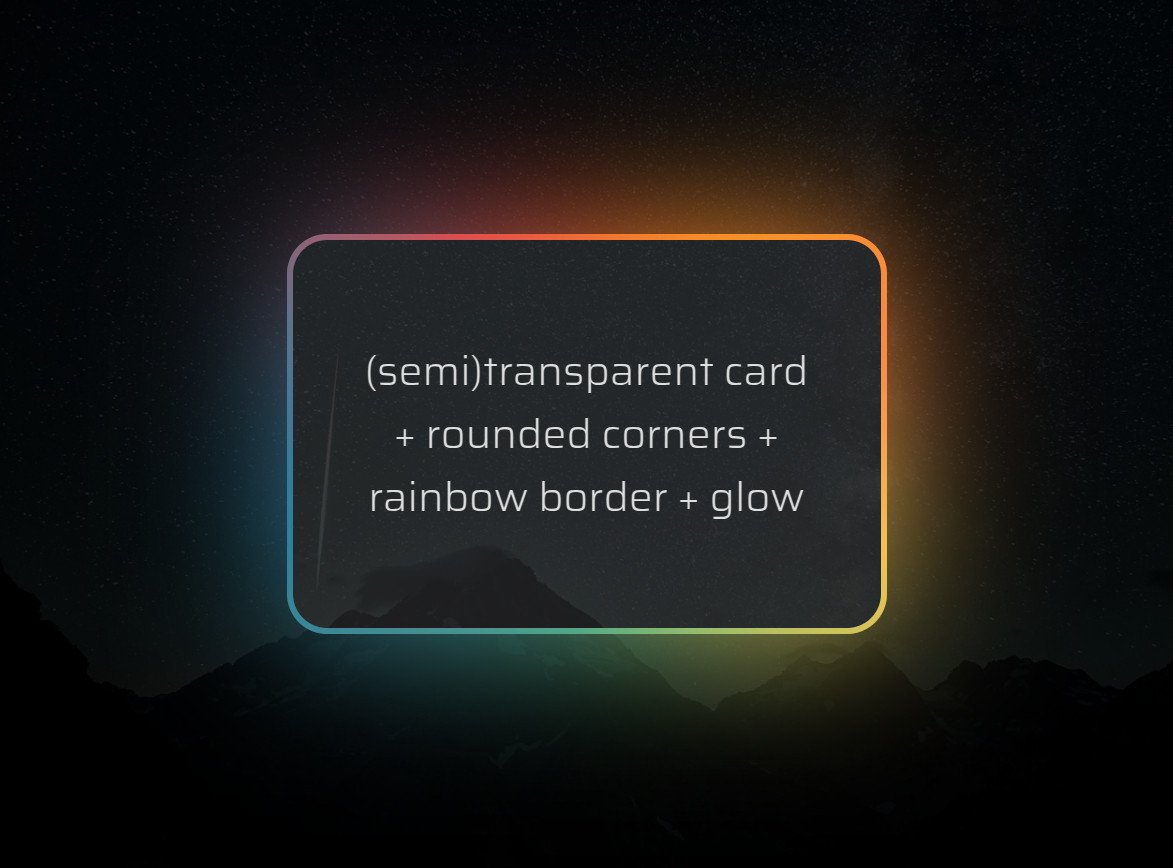
Know the animated 🌈 border + glow effect that's all the rage? It's normally done by adding an opaque cover on top of two 🌈 layers.
But what if we wanted a (semi)transparent background within the border? It's possible with pure #CSS!
Heavily commented: https://codepen.io/thebabydino/pen/KwPBvzo
But what if we wanted a (semi)transparent background within the border? It's possible with pure #CSS!
Heavily commented: https://codepen.io/thebabydino/pen/KwPBvzo
知道那个火遍全网的 🌈 流动边框 + 发光效果吗?通常做法是在两层 🌈 上面盖一层不透明的遮罩。
但如果我们想要边框内是(半)透明的背景呢?纯 #CSS 也能做到!
注释写得非常全: https://codepen.io/thebabydino/pen/KwPBvzo
但如果我们想要边框内是(半)透明的背景呢?纯 #CSS 也能做到!
注释写得非常全: https://codepen.io/thebabydino/pen/KwPBvzo